

Checks
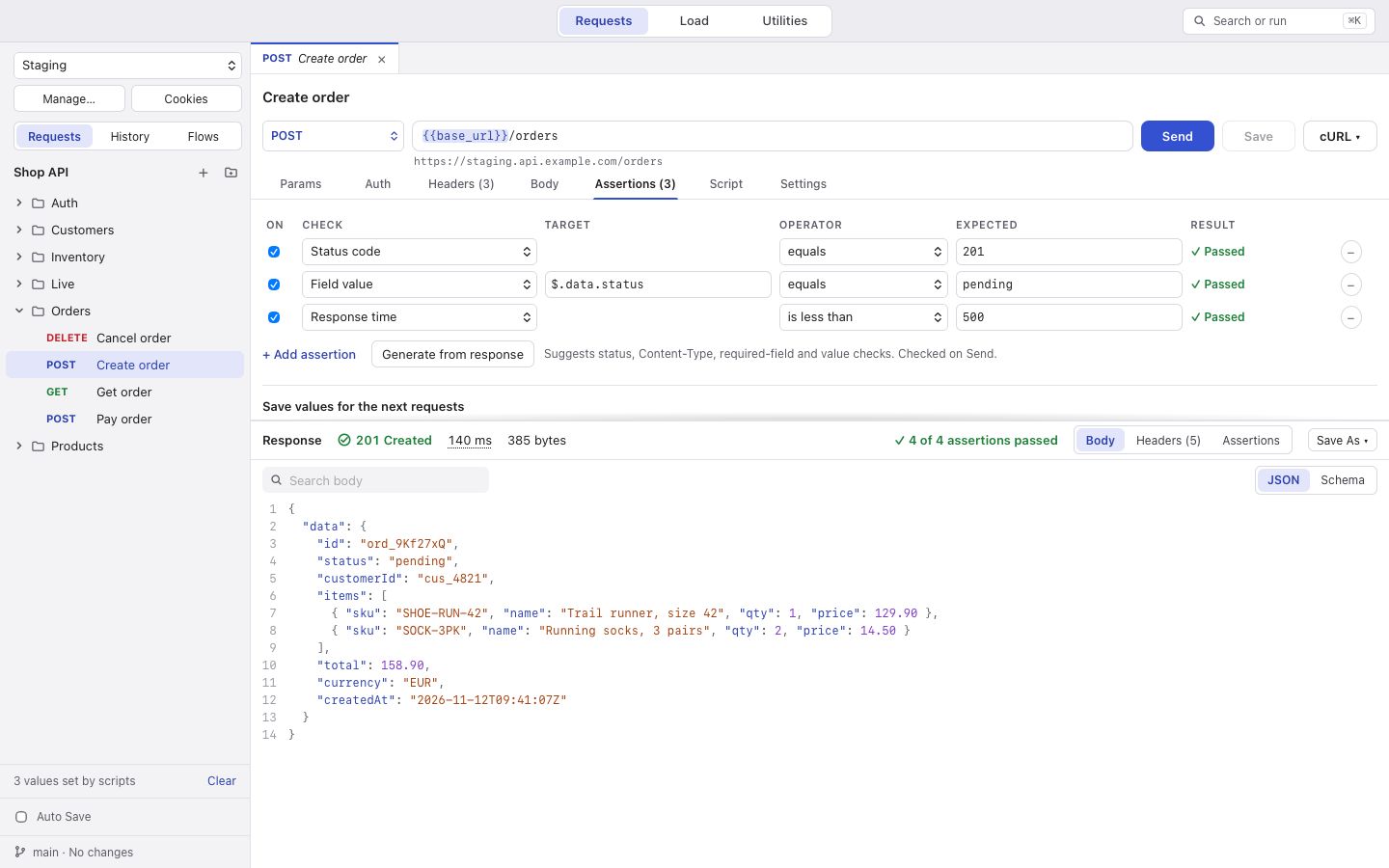
The Assertions tab holds a request’s checks. Each row is a kind of check, its target, an operator and the value you expect; after a Send, it shows the result.
Checks for a whole folder
Section titled “Checks for a whole folder”Checks every request in a folder needs, such as “Status code equals 200”, go in Folder Settings… > Assertions (right-click the folder). They are checked after the request’s own, the outermost folder first, and the request’s Assertions tab lists them under its own with their results. In the Test Runner and reports their name ends with “(folder Orders)”. See Folder settings.
How values are compared
Section titled “How values are compared”- Numbers are compared by value, so
1180equals1180.00. - Objects are compared without regard to the order of their keys.
- A status check accepts a class such as
2xx.
JSON paths
Section titled “JSON paths”Point a check at a body field with a JSON path: $.data.id, [*] for every item, .* for every field, and filters
such as [?(@.status == "paid")] (with ==, !=, <, <=, > and >=) or [?(@.discount)] for items that have the
field. When a path can match several values, exists passes if at least one is there; every other check must be
true for all of them.
Generate from response
Section titled “Generate from response”Generate from response writes checks from the last response. Ids, times and values that look like secrets only get an exists check. It writes at most 20.
Reading the result
Section titled “Reading the result”A failed check says what was expected, what came back, and often why, for example: There is no “customer” in
$.data, which is an object with id, status, total. A check you changed after the last Send shows “not run yet”.